.
.Attaching the Camera to the Support Rod
To protect the mount of camera, lens, and PL-mount adapter, use a commercially available bridge plate and lens support.
Be sure to attach them securely. The camera or lens may fall. Dropping from a high place, in particular, can lead to serious accidents.
-
Attach the camera and lens support to the bridge plate.
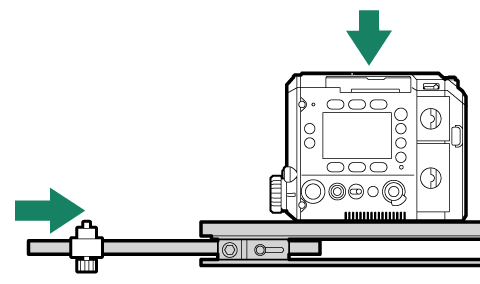
For installation instructions, refer to the instruction manuals for the bridge plate and lens support.
-
Attach the lens and PL-mount adapter to the camera-mount (aAttaching the PL-mount Lenses).
-
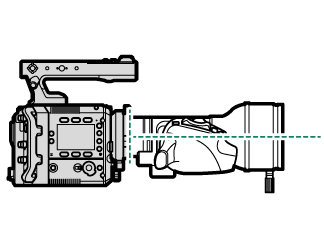
Support the lens with your hand and adjust the height and position of the lens support so that the lens is level when viewed from the side, then secure the lens support to the support frame of the lens or PL-mount adapter cover.
Adjust the height and position of the lens support carefully to avoid placing excessive force on the camera, lens, or PL-mount adapter mount. Improper adjustment may damage the camera, lens, or PL-mount adapter mount.
The support frame of the PL-mount adapter cover can also be attached to the PL-mount adapter for use (aAttaching the Support Frame).
-
Check that the lens is level when viewed from the side.