.
.Attaching the LCD Monitor
Attach the supplied LCD monitor to the camera.
-
Attach the LCD attachment to the accessory mounting screw hole (1/4-20UNC) on the LCD monitor.
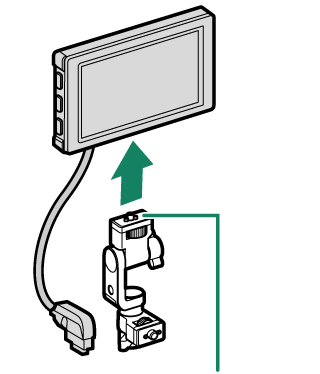
Screw (1/4-20UNC)
-
Attach the LCD attachment to the accessory mounting screw hole (3/8-16UNC) on the camera or handle.
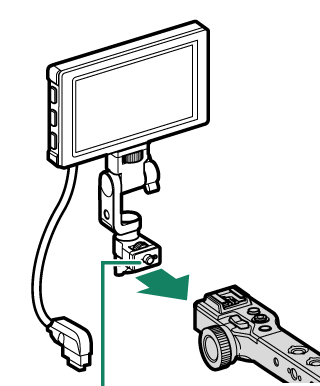
Screw (3/8-16UNC)
-
Remove the LCD cable terminal cover of the LCD cable connector.
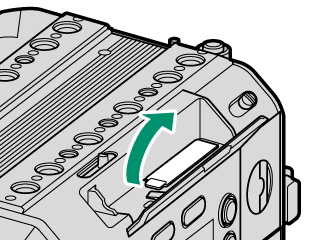
Keep the removed cover to protect the connectors. If you lose it, use the supplied spares.
-
Connect the LCD cable to the camera’s LCD cable connector.
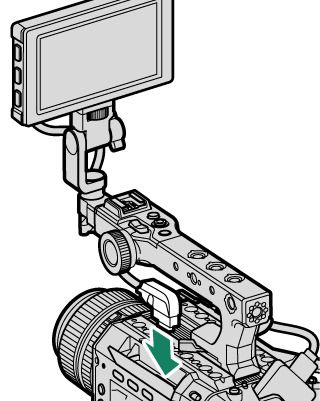
Removing the LCD Monitor
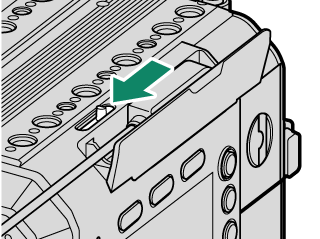
Slide the LCD cable release lever to disconnect the LCD cable, and then remove the LCD monitor.