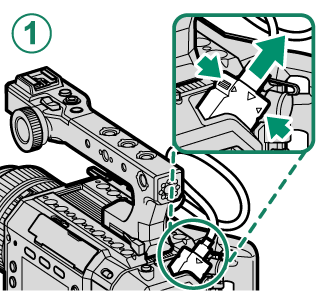
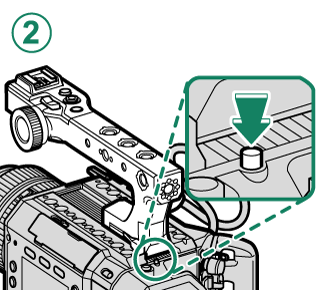
.
.Attaching the Handle
Attach the supplied handle to the camera.
-
Slide the handle into the groove on the handle attachment mount and attach it to the camera.
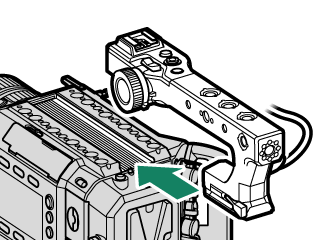
-
Move the lock lever in the direction of [LOCK] to lock the handle.
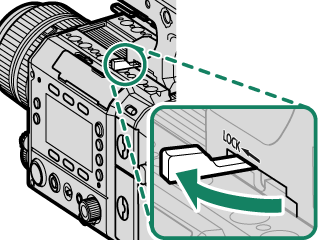
If the handle does not stay securely in place even after moving the lock lever, turn the lock lever adjustment screw for adjustment.
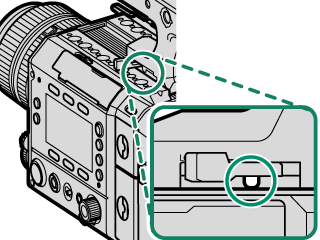
-
Connect the handle cable to the camera's handle connection terminal, aligning the indicators.
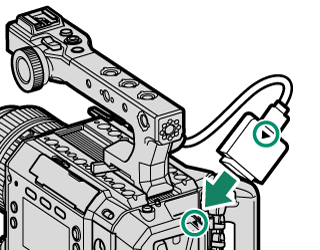
Removing the Handle
While pressing both sides of the handle cable terminal, remove the handle cable terminal from the handle connection terminal (A). After unlocking the lock lever, slide the handle while pressing the release button (B).